Disposing of Personal Information

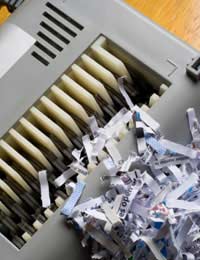
Identity theft is the UK’s fastest growing crime. And yet hundreds of thousands of Britons still throw out their bank statements in the rubbish. All the fraudsters need could be right outside your house. What are you doing to protect your information? It’s time to make a change.
Information on Paper
You probably receive hundreds or even thousands of pieces of paper in the course of a year. It’s no longer simple disposing of these: you’ll want a pile for recycling a pile for the rubbish, and now another pile for safe disposal.Let’s talk shredders. You can pick up a cheap home-office shredder or you can invest in a fancy, cross-shredding machine (for extra security). For less than £10 you can set up a personal shredding centre for yourself and your family: and here’s what should go through the machine before going out for the bin-men:
- Bank statements
- Anything printed with your address (including the top leaf of a catalogue delivered to your home, or the label on your favourite magazine)
- Anything printed with your name
- Envelopes addressed to you
- Printed emails
- Anything with your signature
- Legal, financial, insurance, medical, holiday and work paperwork.
Information on Your Computer
To any potential fraudster, whether they want to play a prank or steal your life savings, your computer is a gold mine. It stores certain valuable information that you must take care to store and dispose of properly. Take precautions to keep your computer physically safe – lock the study door, keep windows closed – and also to maintain the information within it.- Keep sensitive and financial documents in an encrypted file on your hard drive, or remove to a flash drive.
- Don’t allow your internet browser to store passwords.
- Delete cookies and browsing history at least once a fortnight.
- Set a password to access your computer. And don’t keep it on a sticky note attached to the screen.
Information on Your Hardware
Your mobile phone, MP3 player, and your Blackberry are all prime targets for fraudsters. PCs that are improperly disposed of have been found in Africa, where unscrupulous users have no hesitation in selling on the personal information. When the time comes to replace your hardware, take measures to protect yourself.PCs: Your old PC must be formatted and ‘cleaned’ before being taken to the tip. If you don’t have an expert on hand to clean up the hard drive, you can hire a specialist to do this. Some companies will reformat your PC on your behalf, and some will dispose of them too. If you’re trading-in, make sure the company you use will get rid of your old computer responsibly – not just deleting your information, but disposing of the hardware in an environmentally friendly manner. If you can’t afford to use one of these services, a last resort is taking a hammer to the hard drive.
Mobile phones and Blackberrys: Clear the contact book, messages, pictures, and videos from your phone, and remove the SIM before returning to the manufacturer. Mobile phones are either taken apart and recycled, or refurbished for use in other countries. If the latter, it’s important to ensure that your mobile leaves your hands without any sensitive information.

Re: What Are Your Rights Regarding Email Privacy In The Workplace?
I just got let got notification on my work email that someone gain access and change…
Re: Does Neighbour's Camera Contravene Privacy Rights?
My neighbour opposite has got a camera right across the road into my house I have four other…
Re: Can I Use CCTV to Record Meetings in my Home?
I have been harassed by my neighbour who is constantly makeing fake accusations she has cameras recording my…
Re: Does Neighbour's Camera Contravene Privacy Rights?
My neighbours have installed a motion activated light with a camera that comes on when I walk down my…
Re: Does Neighbour's Camera Contravene Privacy Rights?
I've read about people moaning about theses 360 cameras ,I have one and it's because I have a drug…
Re: Computer Monitoring In The Workplace and Your Privacy
I was dismissed from my post at a gp surgery and had to hand my smart card in to the manager can I…
Re: Do They Have the Right to Use My Photo on Website?
My company hired models to use for their website, catalog and social etc but ended up using some of my…
Re: What Are Your Rights Regarding Email Privacy In The Workplace?
I have a works e mail. and do online training through it at home. We all do. Are all e…
Re: Do They Have the Right to Use My Photo on Website?
I’m proposing to put together a collage of pictures taken over the years of our employees at work, out…
Re: Does Neighbour's Camera Contravene Privacy Rights?
I have been into my garden today and seen my next door neighbour has installed a door bell camera at…